🦃 November Update: Polls, view as a member, and 20+ improvements
The countdown to 2024 has officially begun! 🎉
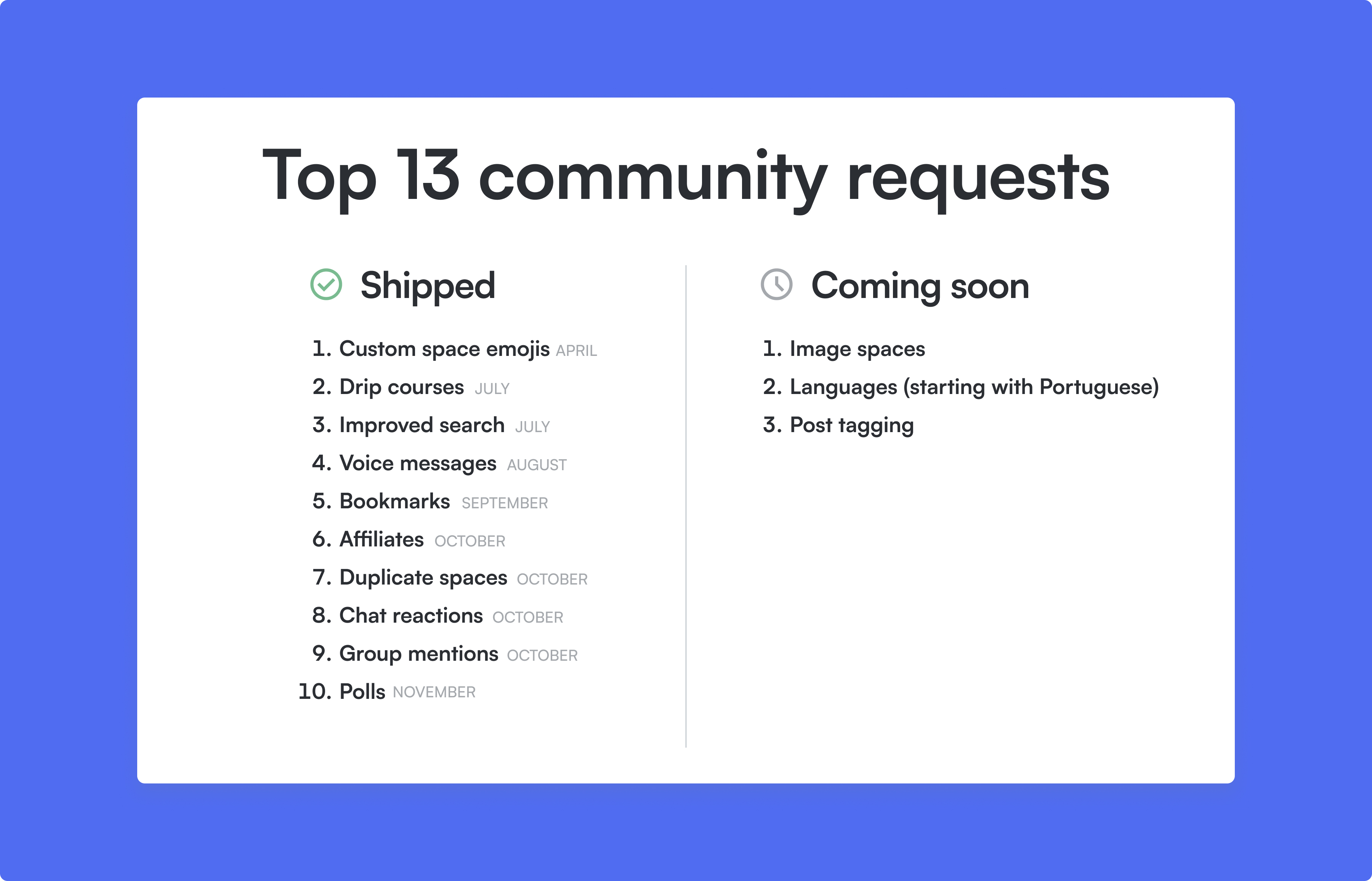
The Circle team is working harder than ever to close out our top 13 feature requests and make 2023 the best year ever for Circle.
In November, we crossed a big one off our list with polls. We also delivered the ability to preview your community as a member, ability for your members to go live, and 20+ other improvements. Dive into the details below!
1. Polls
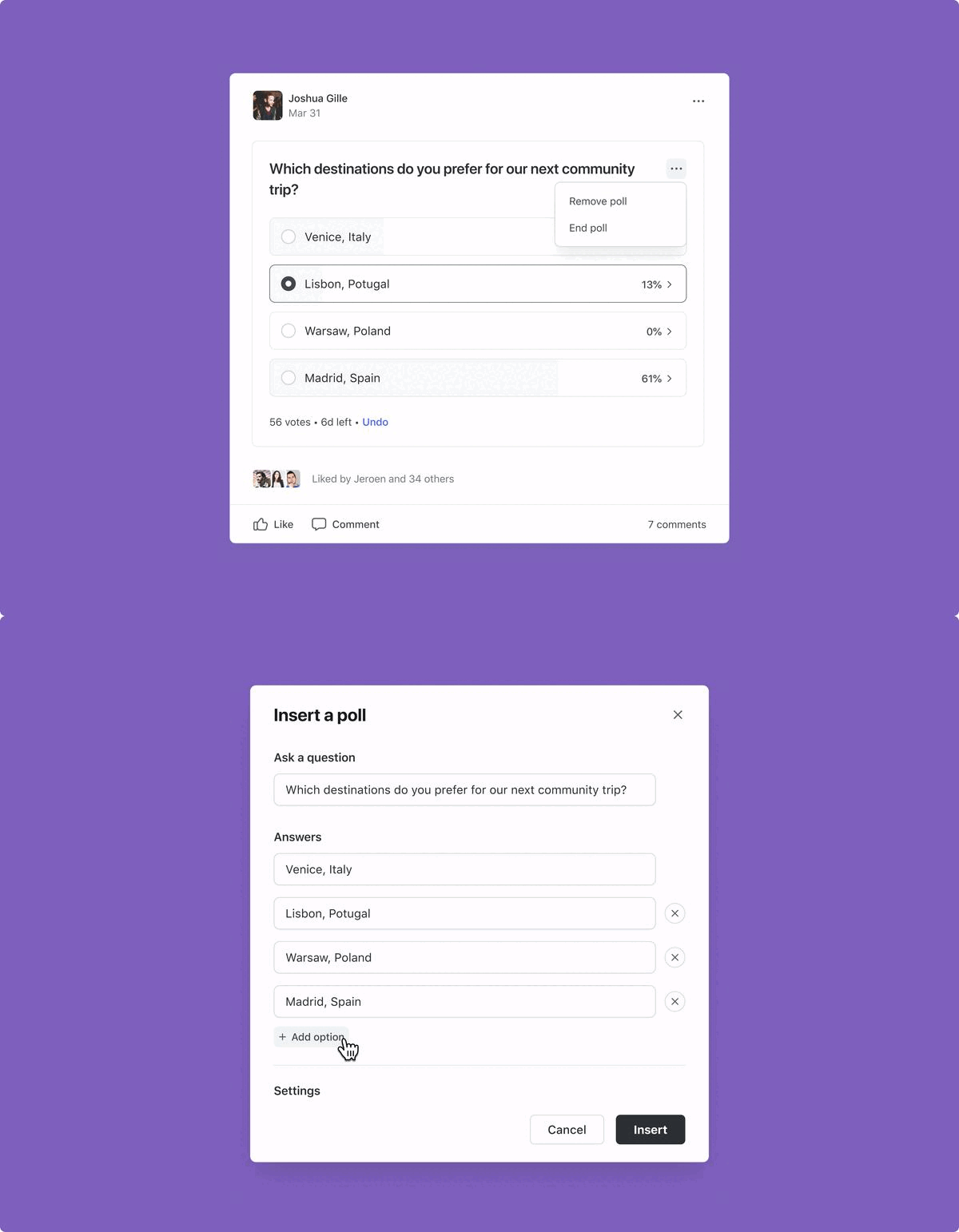
One of the most anticipated Circle features is finally here — say hello to polls!
Polls are a quick and easy way to find out what your members want, what they like, and to get feedback on their experience.
Starting today, admins and members will be able to add any number of polls to posts in a post space across all plans. To add a poll, you and your members can select the poll icon from the bottom left of the text editor or type /poll in the Create post modal.
When creating the poll, you’ll be able to set a duration (end date and time) and choose whether members who answer the poll can see its results.
Here are some ways to start using polls today:
Ice breakers
Add some light-hearted fun to your spaces with questions like “What’s your favorite weekend activity?” to encourage authenticity.Ask for feedback
Ask your community for feedback on what you’re sharing — for example, if they found a post helpful, or what they’d like to see more of.Run a trivia quiz
Since you can attach multiple polls to a single post, you can ask a series of trivia-based questions and share answers in the comments section at a later date.Celebrate your members
Showcase and celebrate member contributions by running polls to nominate and vote for your most outstanding contributors.Encourage your members to create polls
Since your members can create polls too, you could set up a space for member-prompted polls, or encourage your members to run polls in an existing space.
There’s really no limit to the kinds of polls you can run. Whether you’re seeking opinions on new content, gauging interest in upcoming events, or simply sparking meaningful conversations, polls can make your community feel that extra sense of vibrancy!
Polls are supported on all platforms from today, including our web, iOS, Android, and Circle Plus apps. While members can vote on mobile apps, poll creation on mobile apps will be supported next quarter.
Over the next few months, we plan on bringing polls to course lessons and chat messages.
Learn more about Circle polls →
2. Preview your community as a member
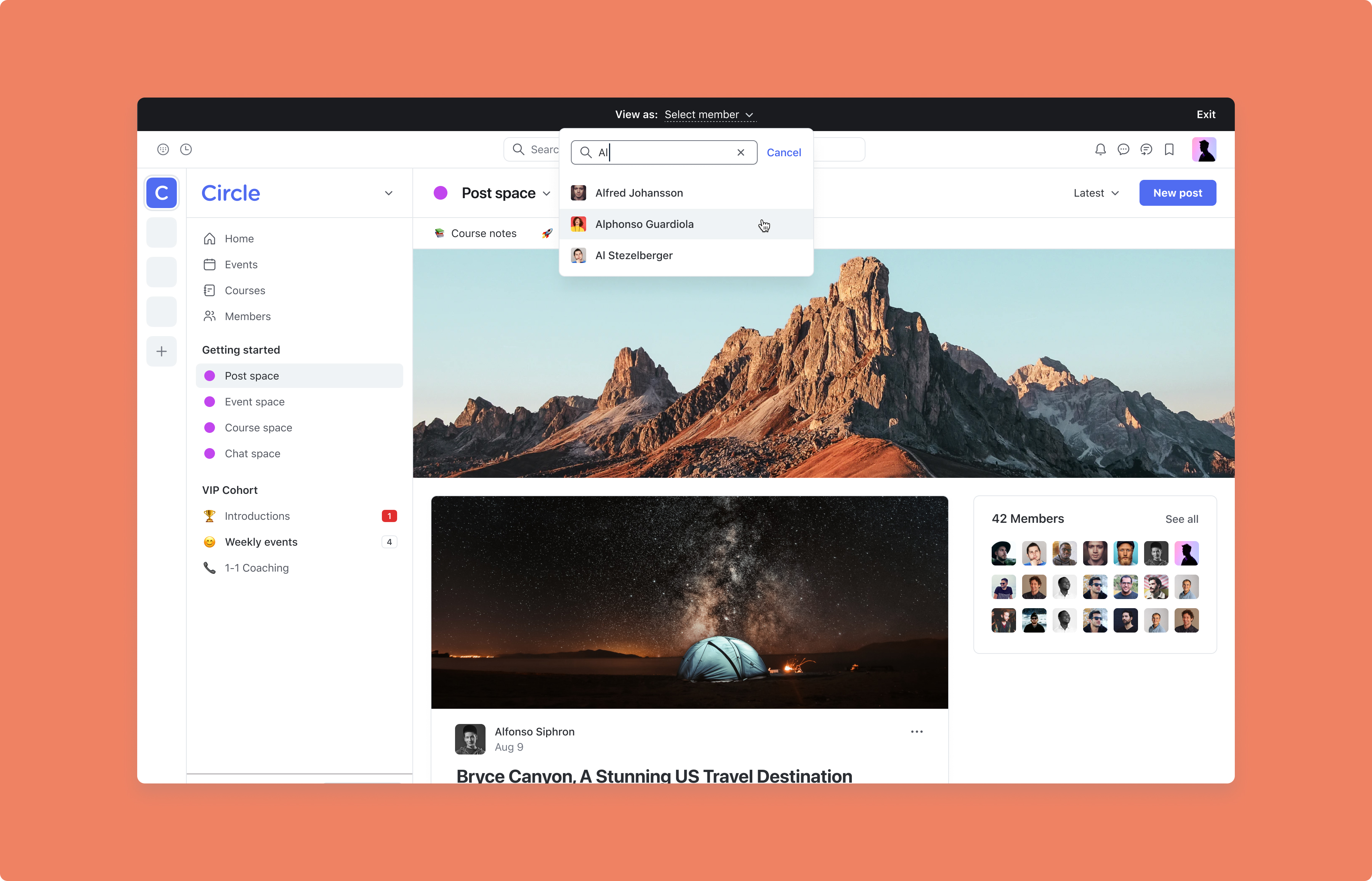
It’s now possible to view your community as a member to take a firsthand look at how your community shows up to them!
To masquerade as a specific member, click on the “View as” option in the ellipsis actions menu of a specific member in the Manage members tab or click on the 👁️ icon on a specific member’s profile in the right sidebar.
Once a member is selected, you’ll see what your community looks like to them, including the Home feed and the spaces they belong to.
To protect your member’s privacy and to prevent taking accidental actions on their behalf, you will be in ‘view only’ mode. You will be able to see what their Home feed and spaces look like, but you won’t be able to access their DMs, notifications, and personal information.
Masquerading is limited to active members only for now. We’re working on adding the ability to masquerade as an invited member, admin, moderator, paywall, or invitation link in the coming weeks.
Learn more about masquerading as a member in your community →
3. Allow your members to go live
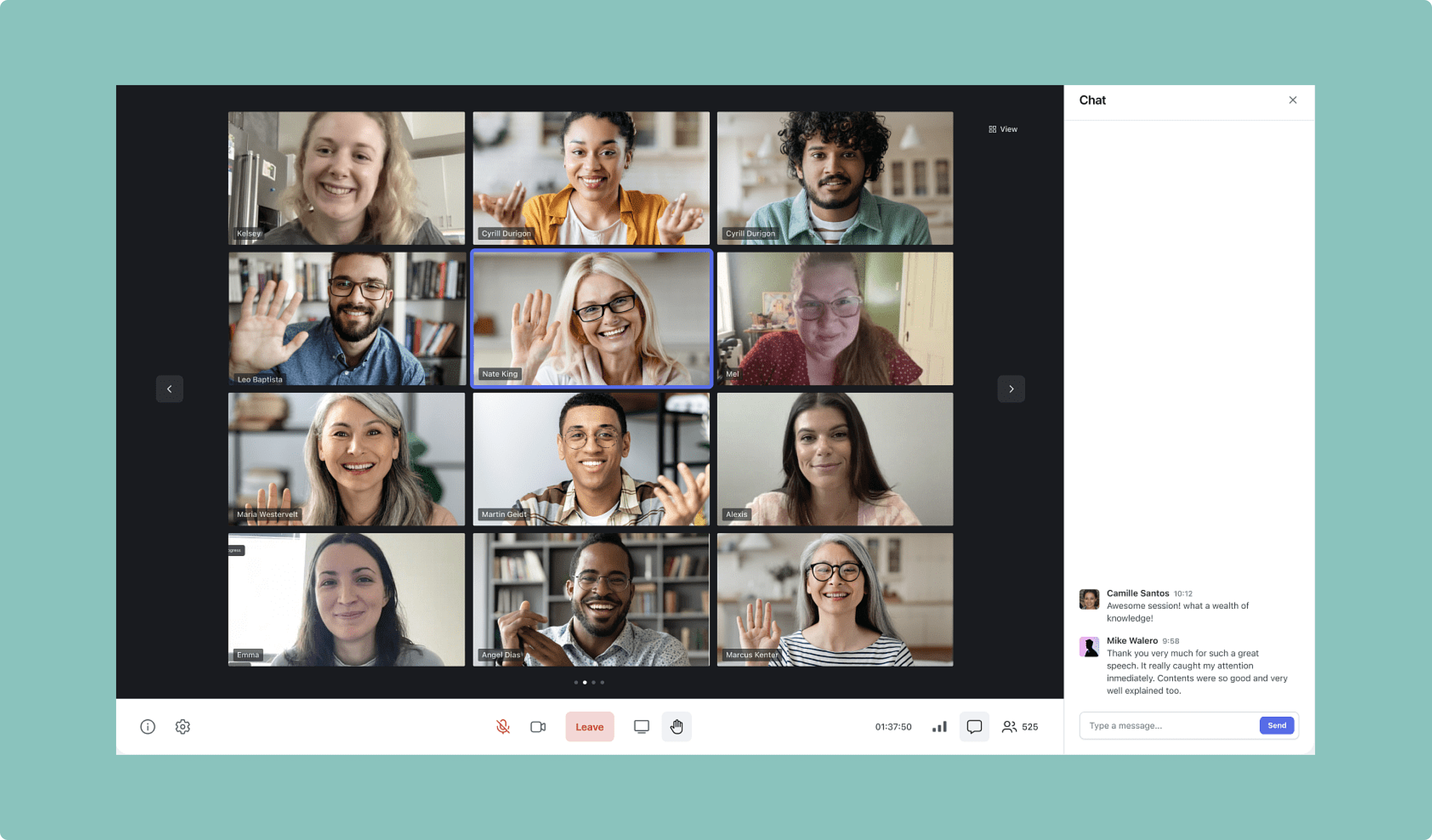
We’ve added a new setting which gives you the power to let your members go live with a live stream or a live room at any time.
To enable this feature, navigate to your community’s main dropdown menu and select Settings. Under General, scroll down to Allow members to go live and toggle it on.
Since your members will be able to go live if you turn this on, note that any live streams/rooms they host will count towards your live usage limits. We’ll notify you with an email warning when your community crosses the 50% usage threshold for live on your plan, and we’ll send you another warning at 90%. Once your community has crossed the threshold entirely, the button to go live for your members will be disabled until you purchase add-ons, upgrade your plan, or until your limits reset in the following month.
Learn more about live rooms and live streams →
4. Filter your bulk action workflows with is/is not/contains
We’re continuing to expand the functionality of workflows in Circle. This month, we’ve added additional filter options to give you great flexibility on how you segment your members in bulk action workflows.
To try the new filter options, create or edit a bulk action workflow and notice you’ll now have the ability to use the is, is not, contains, and does not contain options for filters with your member name, headline, location, bio, website, social links, or text-based custom profile fields.
Learn more about workflow entry rules →
5. Add custom emojis or shapes in member tags
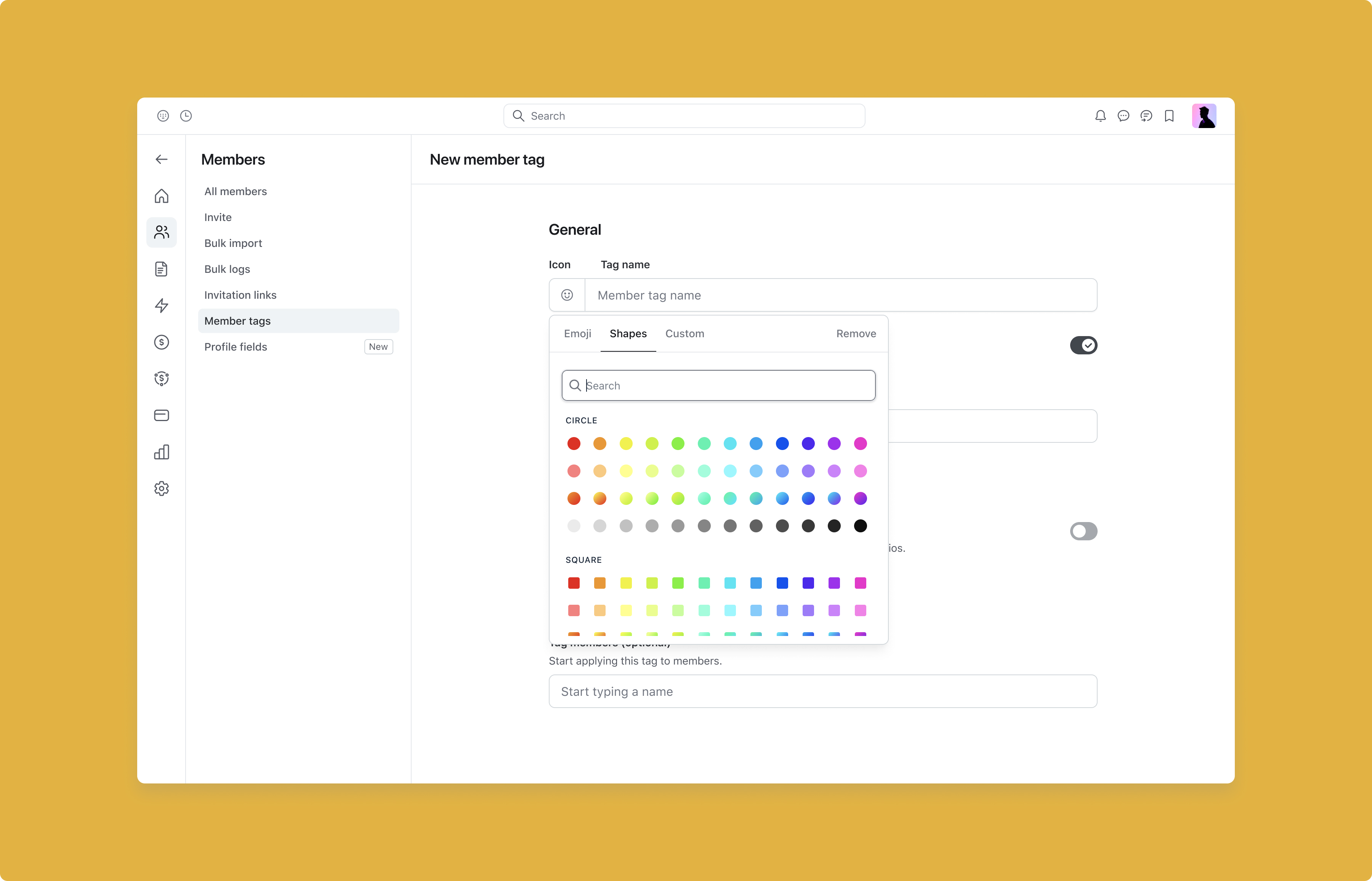
We’ve improved the design of member tags by adding the ability to use custom emojis or shapes on a specific tag.
To customize your member tags, click on your community’s main dropdown menu and select Members. Then choose Member tags in the left hand navigation bar.
You can either create a new member tag or update an existing tag. On the member tag creation page, you’ll find new options to add emojis and background color under Design.
Learn more about emojis in member tags →
6. Easily link to pages in your community from posts, courses, and lock screens
Back in September, we added the ability to easily link to pages in your community from a chat message using the # key or #️⃣ icon at the bottom right of the text editor. We’ve now expanded this functionality to posts, courses, and lock screens as well.
Learn more about entity linking in text editors→
7. Ongoing accessibility improvements
The Circle team is deeply committed to making our platform inclusive and accessible for everyone. We’ve been working hard behind-the-scenes to ensure we’re adhering to the Web Content Accessibility Guidelines 2 (WCAG 2).
While this is an ongoing endeavor, our team has been steadily rolling out accessibility updates.
Here’s some of our most recent improvements:
Added alt text for all images used in Circle’s application (buttons, icons, etc.)
Enforced all anchors to contain accessible content
Added labels to image-only links and image-only buttons
Added screen reader friendly text fields on button images
Labels for profile fields
Create post and create comments shortcuts
Here’s what’s coming up next:
Header roles on space and group menus
Labels on list space buttons
Labels on dialog elements
Focus styles on user profile buttons
Make tabs keyboard accessible
Labels on filter inputs
Make popovers keyboard accessible
Make dropdowns keyboard accessible
Improve color contrast on input placeholders
And many more improvements!
Making Circle accessible is more than just a checkbox for us, it’s rooted in the fabric of who we are—a platform that celebrates bringing people together from all backgrounds and abilities to meaningfully belong in online communities.
If you have any questions about our accessibility improvements, please don’t hesitate to drop it in the comments below or send us an email at support@circle.so.
8. iOS improvements
We also shipped a few improvements to Circle’s iOS app:
Emoji chat reactions
Threads in lesson comments and live stream chats
Group mentions
Bookmarks
Performance and reliability improvements
9. Android improvements
Plus, here are some improvements on Circle’s Android and Circle Plus branded apps:
Support for deep linking and in-app paywalls
Show link previews when available
Support for space mentions
Display URL for recorded live streams in event post
Support for chat reactions
New visuals for mentions and entity links
Performance and reliability improvements
10. Other improvements
View totals in paywall dashboard: Your paywall dashboard now includes snapshot totals for total sales, one-time paywall purchases, subscription paywall purchases, and active subscribers.
Limit recurring affiliate commissions for paywalls: Set a limit for the number of recurring commissions paid to affiliates by turning on the toggle on the affiliates settings page.
Threads in lesson comments and live streams: You and your members can now participate in nested threads in lesson comments for courses, as well as chat in live streams.
Customizable default tabs for lessons: Course creators can now choose which tab opens first in lessons (comments, curriculum, or files).
Mark chat messages as unread: You and your members can have the ability to mark chat messages as unread.
Improved onboarding management: Settings → Onboarding and the default spaces general setting will be moving to Members → Onboarding, along with a redesign to the “Access” component for extra ease-of-use.
Recent searches: Clicking into the search bar now shows your last 5 searches.
Transparent background in profile avatar: Users can now upload images with transparent backgrounds in their profile pictures.
New paywalls CSV export options: You can now export your subscription and transaction data to a CSV file. You can customize the data to include any applied dashboard filter. View all CSV exports in one place under Settings → Bulk logs.
Need help unpacking what’s new? Join us at the next Product with Pedro!

In this twist on our traditional office hours, Circle’s very own Pedro Hernandes will walk you through:
This month’s top feature releases and improvements
Where to access them and how to set them up in your community
Use case examples to better serve your needs
You’ll also have the time to ask questions and get answers live!
So if you’re having a hard time keeping up with what’s new, why not join us and get the details firsthand?