📲 May release: Public webinars, new custom app builder templates, and more
Our team has been quietly building for the past few months, and next month we're releasing the biggest update in Circle's history. We can't wait to share what's coming.
This month, we’re launching webinars with public live chat as part of live streams. We're also shipping significant updates to branded apps to help Plus customers create an impactful first impression for their members.
Let's take a look.
Public webinars
With public live chat in live streams, you can now run fully public webinars in Circle, where anyone, members and non-members, can join, chat, and react in real time.
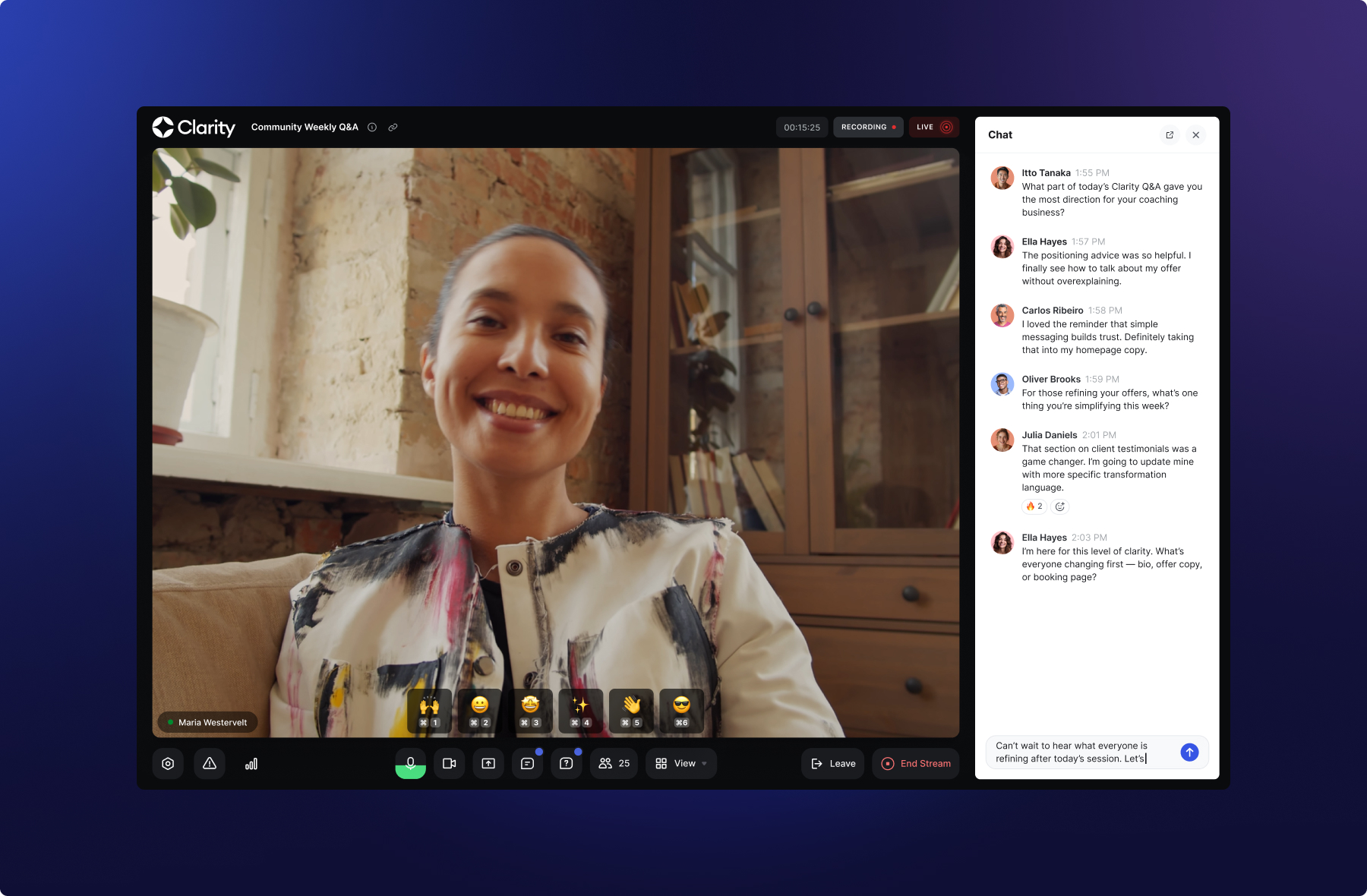
When Allow non-members to RSVP is enabled on a live event, guests can RSVP without a community account. They receive a confirmation email with a unique link that takes them straight into the event, where they can participate in chat alongside your members.
What's included:
Guests can send messages and react with emoji in real time
Typing indicators show when guests are actively typing
Guest names and avatars are displayed alongside their messages, so hosts and members can see who's talking
Mobile support across the iOS and Android apps
Admins can delete guest messages
This opens the door for public webinars, AMAs, product launches, and live events that grow your audience without requiring sign-up at the door. Hosts get richer engagement, guests get the full chat experience, and you get a wider top of funnel.
Rolling out gradually, starting this week.
Branded app improvements
Two updates that make your branded app easier to set up and better for members from the moment they download it.
New app builder templates
The custom app builder now includes templates for audio, video, forms, calendar, and AI agents. Each one is ready to publish with minimal setup, so you can launch new screens quickly and iterate from there.
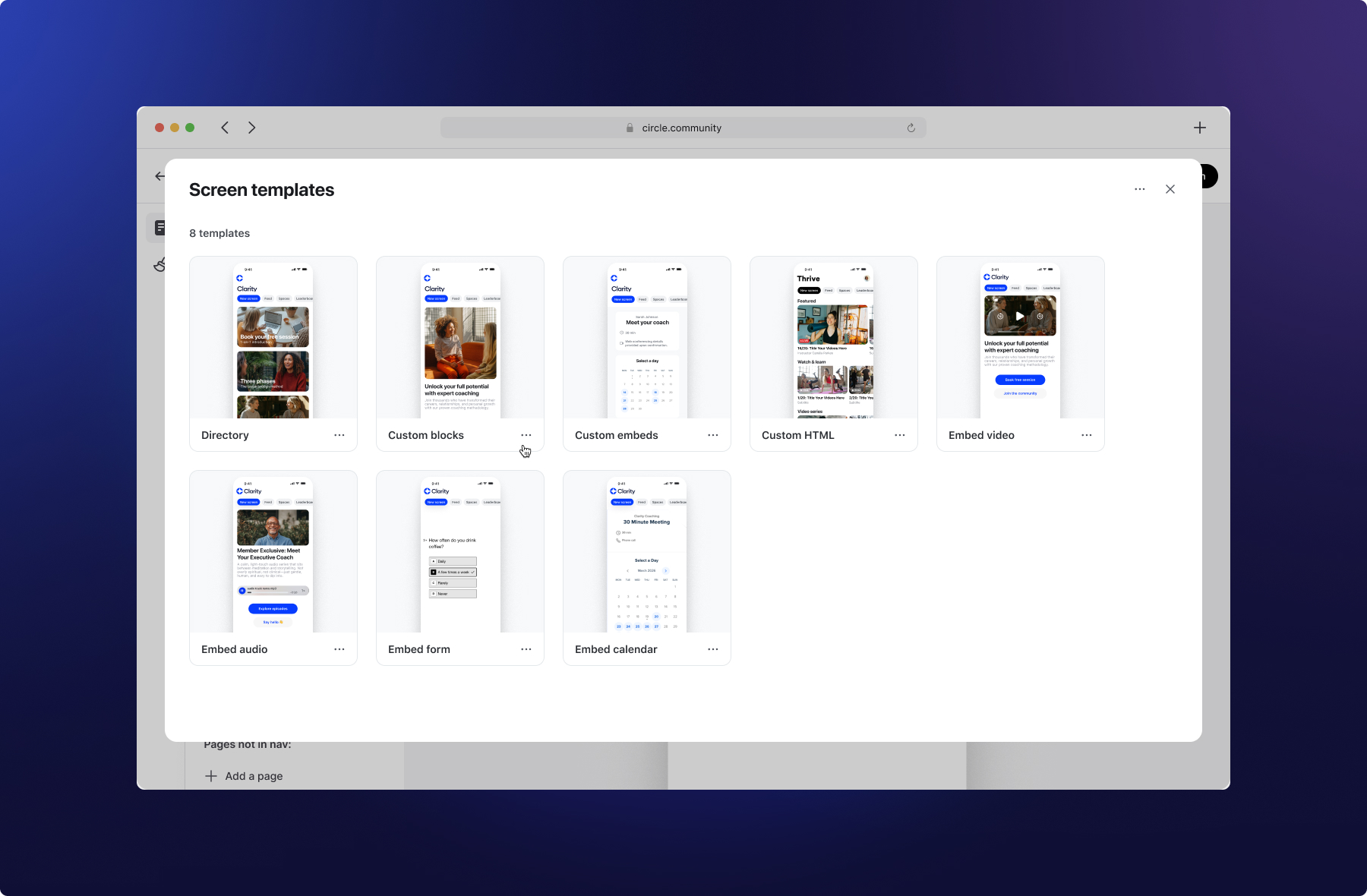
These join the existing directory, custom HTML, embed, and custom block templates.
Available for Plus customers with a branded app and advanced app features.
Redesigned sign up flow
The branded app now has a fully native sign-up flow from start to finish.
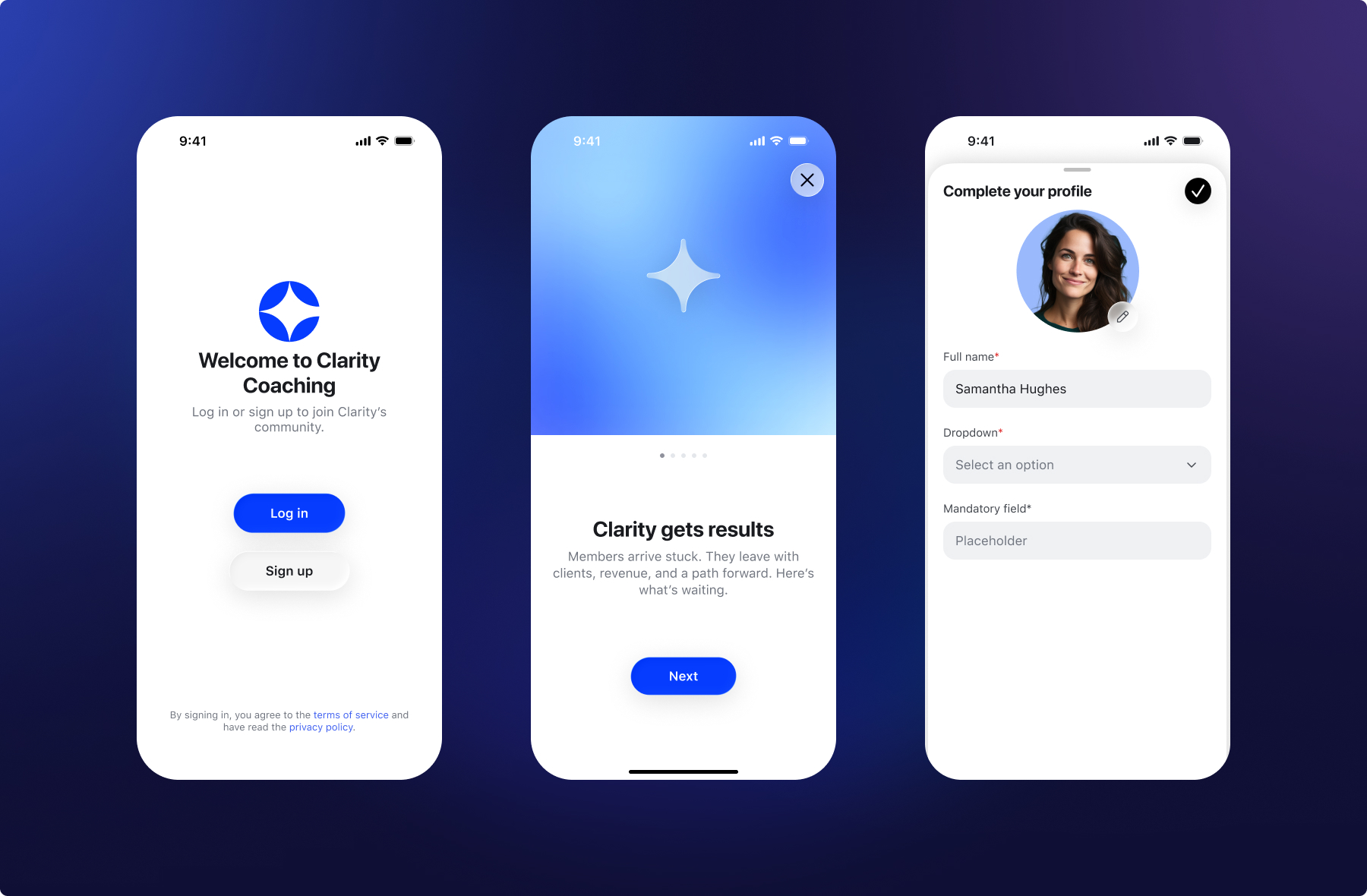
When someone opens your app for the first time, they land on a redesigned onboarding carousel, now up to 5 screens, giving you more room and customization to create the perfect introduction to your community.
From there, members create an account with a one-time passcode sent to their email. They set up their profile, add a photo from their camera or photo library, and fill in any profile fields you've configured. A progress indicator keeps them moving through each step.
Once their profile is complete, they're prompted to enable push notifications before entering the community.
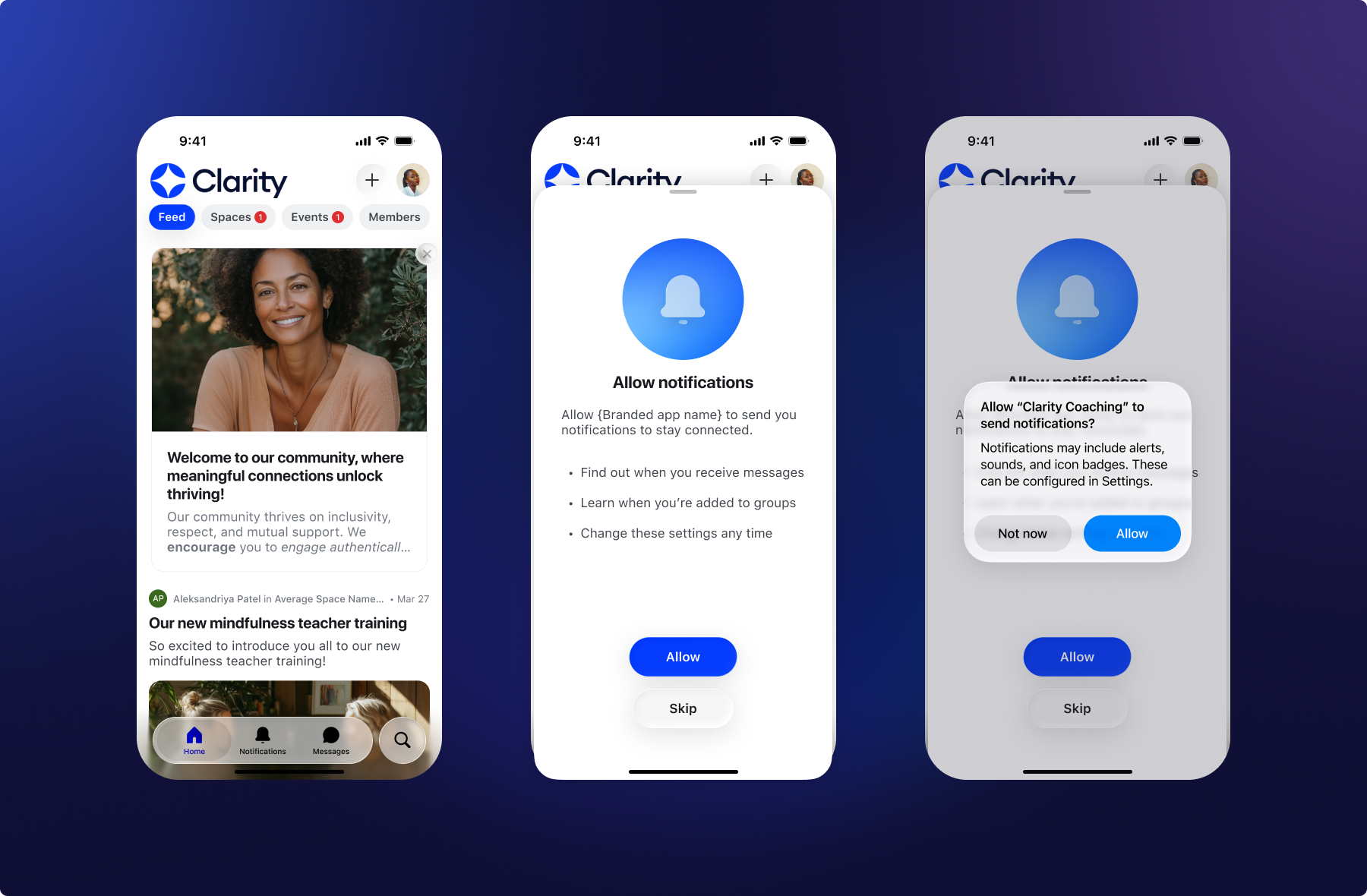
The entire experience, from first tap to first interaction, stays inside your app and stays on your brand.
All Plus customers with a branded app get this redesigned flow. Customers with advanced app features can customize onboarding screens in the custom app builder.
Other updates
New billing terms: Paywalls now support biennial (2-year) and bimonthly (every 2 months) billing intervals for both subscriptions and installment plans. Offer longer commitments at a discount or shorter cycles for lower price points.
Paywall asset cleanup: When an upsell is removed from a paywall or a paywall is deleted, its attachments are now discarded automatically.
Paywall assets in Content Manager: Assets used in paywall and upsell checkouts now appear in the Content Manager at /settings/files and count toward your storage usage. Storage has been recalculated for communities with existing paywall attachments.
AI Agents Analytics Dashboard: A new analytics dashboard for AI Agents is now available to all customers, giving you visibility into how your agents are performing across conversations. To learn more see AI Agent analytics.
New audio player (web): A redesigned audio player with a modern look, brand color theming, custom thumbnails, chapters, transcripts, and an admin edit modal for managing settings. Available across posts, comments, and courses on the web. Mobile coming soon. To learn more about audio settings see Audio settings: Thumbnails, downloads and transcripts.
iOS improvements
We also shipped a few improvements to Circle’s iOS app:
Support for dedicated Content, Moderation, and All notifications
Improved profile completion flow
Ability to switch communities by tapping icon/logo on the Home tab
A custom video player for a better viewing experience
Support for video chapters
Improved chat moderation tools
Performance, reliability, and UI/UX improvements
Android improvements
And some improvements on Circle’s Android and Circle Plus branded apps:
Users can now create and manage events directly in the app
Quickly access your recent search queries for faster navigation
Audio files in posts and courses now remember your playback position across sessions
Enhanced user session management
Improved chat room input layout and keyboard handling
Optimized audio player performance
Enhanced horizontal scrolling for content viewing
Performance, reliability, and UI/UX improvements