☀️ June Update: Payment installments, dynamic variables, and 20+ improvements
The first half of 2023 went by in the blink of an eye and our team has been busier than ever. We’ve spent the past six months delivering some game changing new features like Workflows, Custom Profile Fields, and Community AI to name only a few. Plus, an additional 100+ new releases and improvements.
With no plans to slow down and many new releases coming soon, we’re on track to make 2023 the most impactful year at Circle yet. Check out the latest features that rounded out the first half of the year below 👇
Split charges with paywall installments
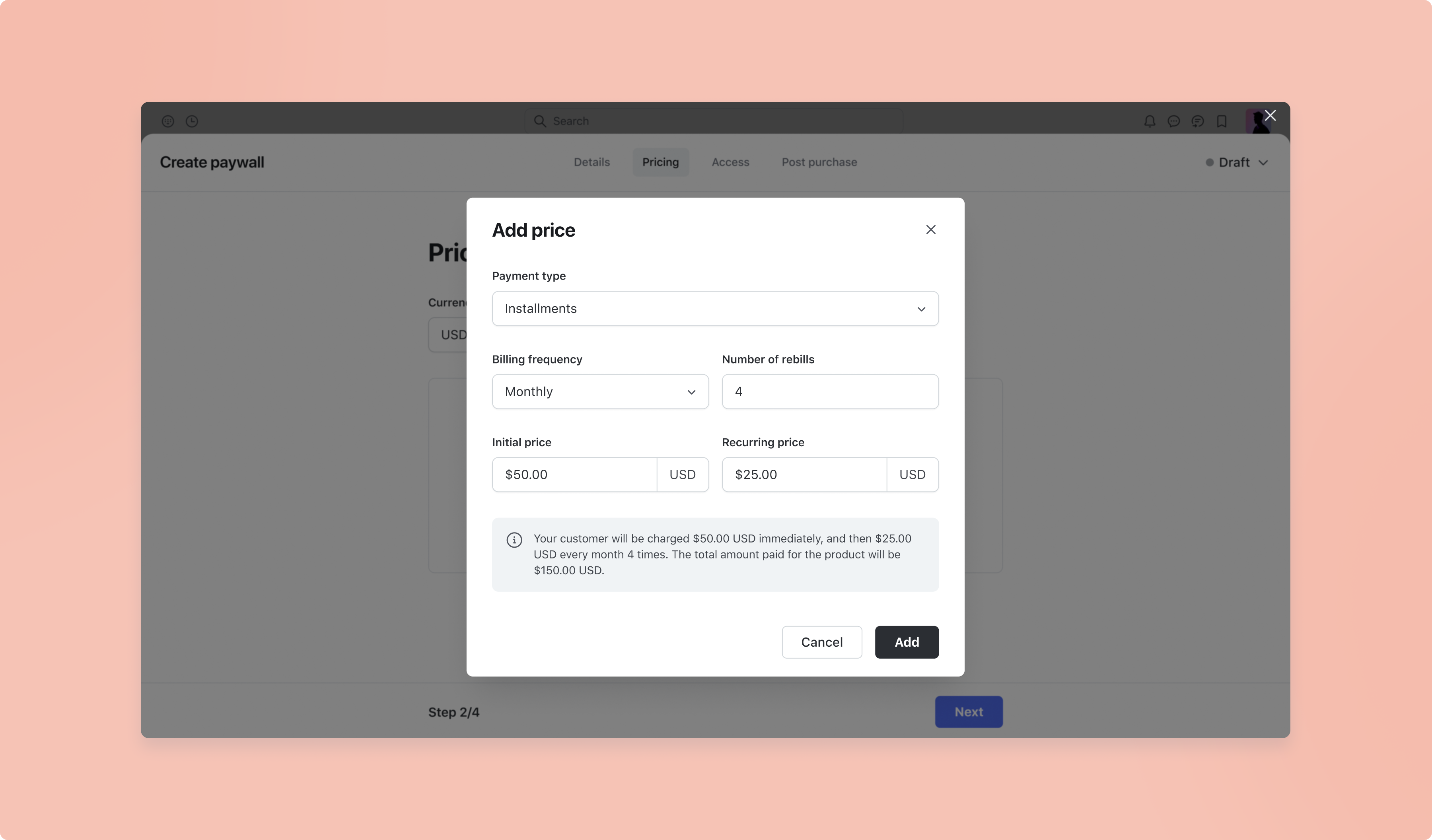
Give your members greater flexibility and reduce payment friction with installments for Circle paywalls! You now have the option to split your paywall charge into multiple smaller payments on a monthly or quarterly basis.
To add installments as a pricing option to your paywall, navigate to your community’s dropdown menu and select Paywalls. You can choose to edit an existing paywall or create a new paywall. Under the Pricing tab, click Add price. You’ll find the option to charge installments under Payment type, and select between a monthly or quarterly option. You can also add multiple installment options if you’d like.
Personalize your workflows with dynamic variables
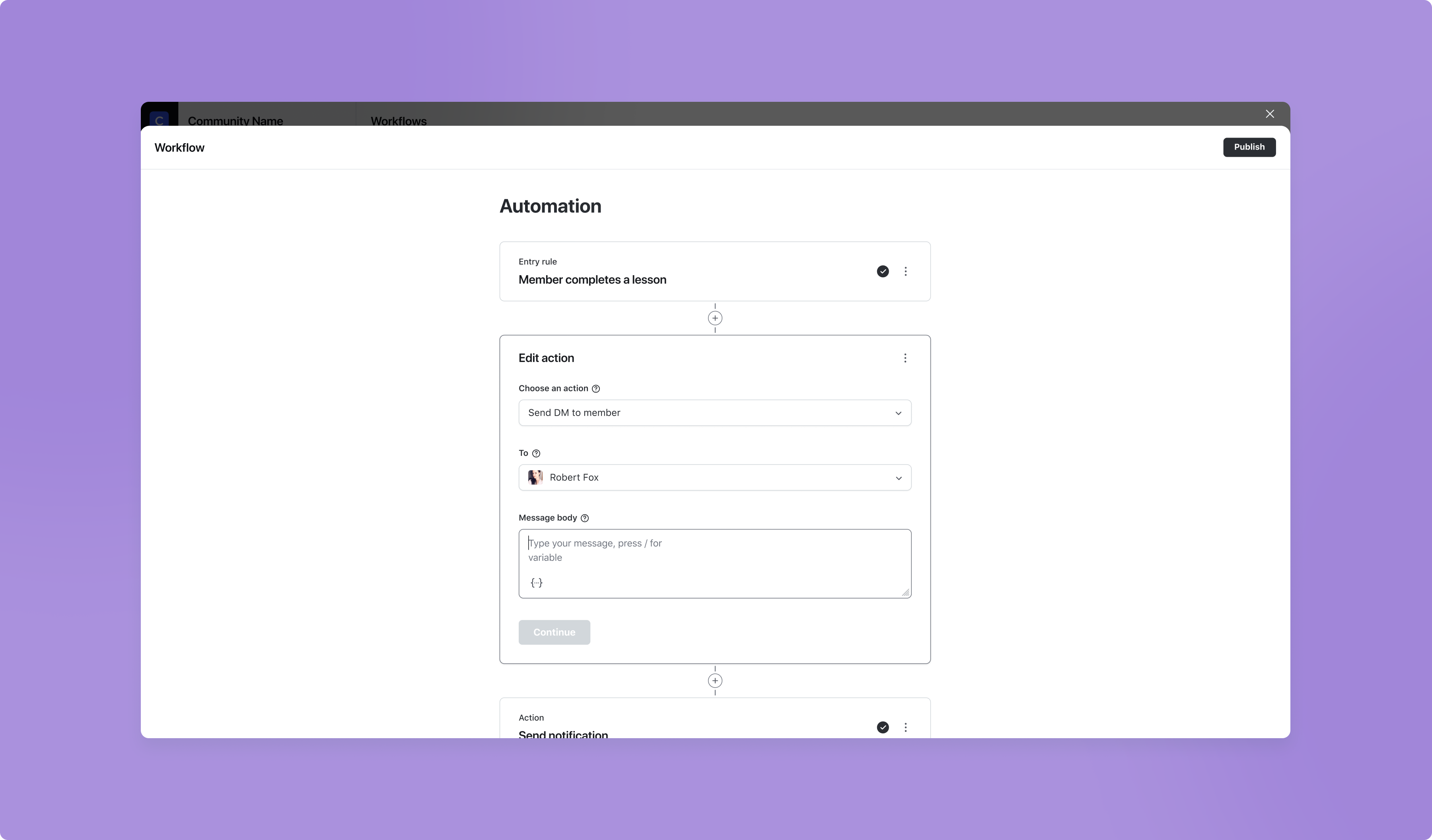
Creating a close-knit feel in your community just got easier with the addition of dynamic variables in Workflows. When crafting a direct message using the “Send direct message” workflow action, you now have the ability to add personalization by pulling in customer information such as:
First name
Last name
Full name
Email
Profile ID
Custom profile fields
You also have the option to preview the message before you send it to ensure the message looks exactly like you intended.
To insert a dynamic variable in your direct message, type the “{“ key in the message area or click on the dynamic variable icon at the bottom to pull up a list of available variables.
Send mobile push notifications using Workflows
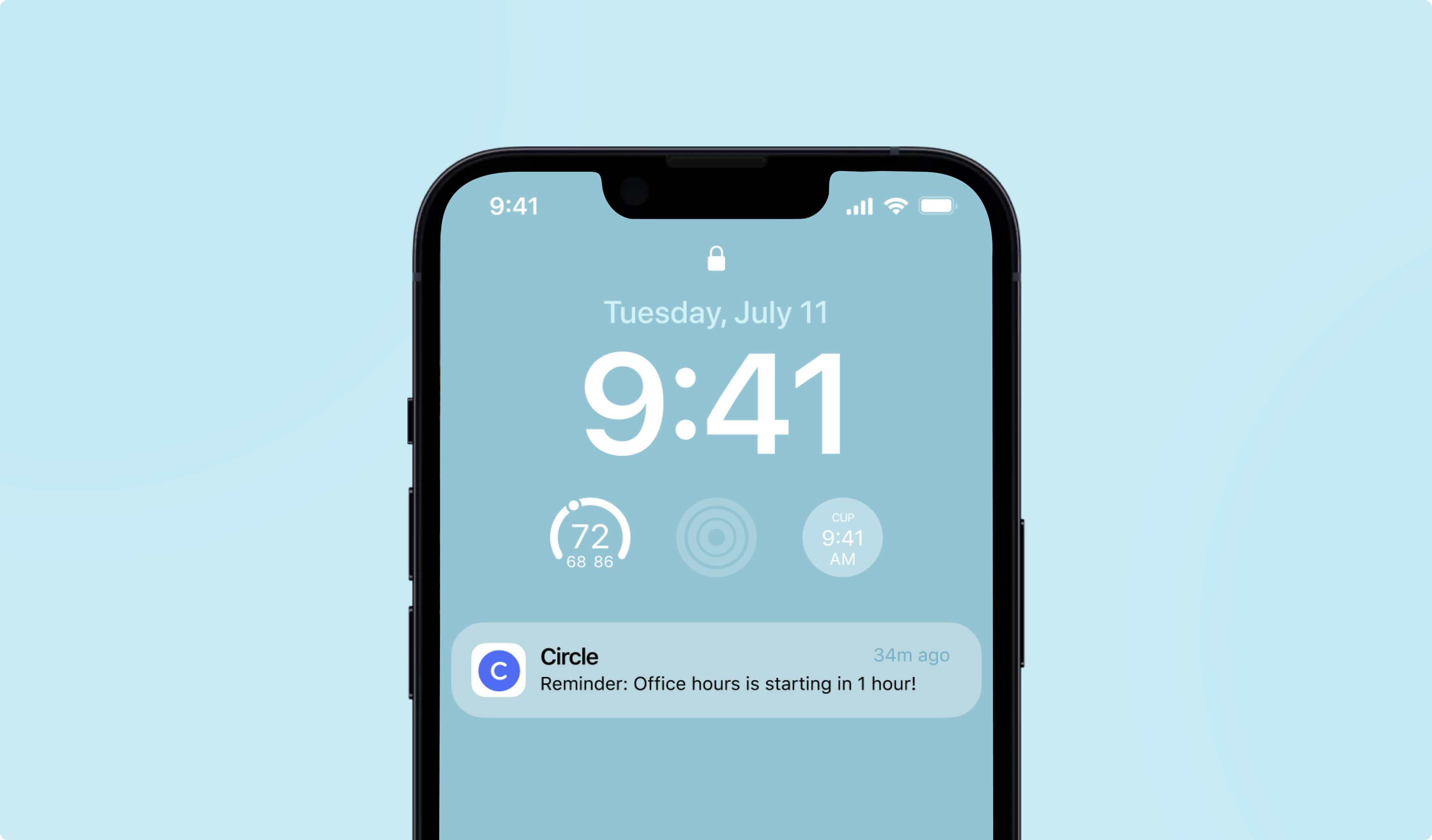
We’ve made our Workflows feature even more powerful with the addition of mobile push notifications. When creating a bulk action Workflow, you now have the ability to send a mobile push notification to members using the Circle iOS or Android app.
This means you can reach your members directly on their mobile devices by adding push notifications to your marketing plan — something they’re more likely to see than even their email inbox!
Better yet, you can link your notification to a post or space so they’re taken directly to it when they tap on your notification.
⭐ TIP: 50% of Circle members use the platform on a mobile device. If you haven’t already, you can ask your members to download the Circle app on iOS or Android by linking to circle.so/mobile. To make this a breeze, consider sending them a direct message by creating a bulk action workflow. Learn more about workflows
Additional paywall improvements
Enable repeat purchases for paywalls with one-time fees
You can now allow repeat purchases on paywalls with one-time fees, providing you with more monetization opportunities for your community. To add repeat purchases to your one-time fee paywall, simply create a new paywall and turn on the Allow members to repurchase this paywall toggle. Learn more
Flexible coupon windows
When you create a new coupon for your paywall, you can now set a redemption start/end time in addition to the date, giving you even more flexibility over your coupons.
Collect tax IDs
If you’re required to collect specific tax identification from your paying members by law or you want to remain tax compliant when providing your members with invoices, you are now able to do so by collecting tax ID at checkout.
In order to collect tax IDs on your paywall checkout pages, you’ll need to have Stripe Tax collection enabled in your community. Learn more
Space access visibility
You can now see which paywall a member used to gain access to a particular space.
To see this on a space level, navigate to Edit space and click on the Members tab. Here, a “Paywall” column will show you the name of the paywall the member may have used to unlock space access.
To see this on an individual member level, go to the Manage members area, find the member, and click the Edit link in the ellipsis dropdown. Navigate to the Access tab and select Log, where you’ll be able to see a list of spaces they’re in, along with which paywall they may have used to gain access.
Additional workflows improvements
Choose who you re-run a workflow for
You can now choose whether you’d like to re-run a bulk action workflow for members whom you’ve already run it for, or new members only. Learn how to re-run a bulk action workflow
New action: Subscribe to a paywall trial
When creating a Workflow, you’re now able to automatically subscribe members to your paywalls trials after a specified event occurs.
New bulk action filter: Filter by whether member has set profile photo
You can now select whether you’d like your bulk action to run for members with or without profile photos, enabling you to boost higher rates of profile completion.
👉 Curious about Workflows or whether our new Business Plan is right for you? Watch our Workflows Lunch & Learn where we dive into concrete examples of workflows, share a quick how-to demo, and give you tips on how you can use Workflows to automate, scale, and engage your community like never before.
Android improvements
June has been an exceptional month for updates to our app on Android. Check out the comprehensive list of new releases and improvements below:
Edit messages
Delete posts
Member directory
See all members in a space
See members in a group chat
Support for member spaces
Support deep-linking for communities with custom domains
Support for profile fields and members tags
Support for embeds being rendered inside lists
Space links
iOS improvements
In addition to the Android updates, we also shipped some great updates on iOS. Here’s the list of improvements:
Host public live streams
Inline audio player
Video transcripts
Improved chat reliability
Improved custom HTML interactivity in posts
Other improvements
Speed improvement: By automatically resizing large logos and images, we were able to dramatically increase the load time for communities with those larger images!
Keyboard shortcuts: Navigate your Circle community with ease by using our new keyboard shortcuts for common actions. View all shortcuts and how to use them here.
We’ve added sorting to the “Manage members” table
Default avatar backgrounds now meet accessibility standards
Upcoming events in the Circle Community are now visible in our “Ask Circle” help widget