🔮 January update: Introducing Circle Discover and 10+ other updates
Happy New Year! 🎊
Last year was full of incredible growth, and it wouldn’t have been possible without your support and passion for building communities that transform lives.
To kick off 2025, we’re introducing Circle Discover, a marketplace we’ve built to solve your top two priorities: growing your membership and increasing your revenue.
Circle Discover
We know it takes a lot of heart and energy to build a thriving community. Even with all that effort, building an audience and finding new members can be challenging.
That’s why we’re thrilled to introduce Circle Discover: a curated marketplace for finding the best communities, courses, and memberships.
Discover gives your community the visibility it deserves, and helps you reach a wider audience.
Discover_final_v1.mp4We’re launching with 60 experiences today, and adding more communities and courses every week.
If you’re ready to list your experience on Discover, click here.
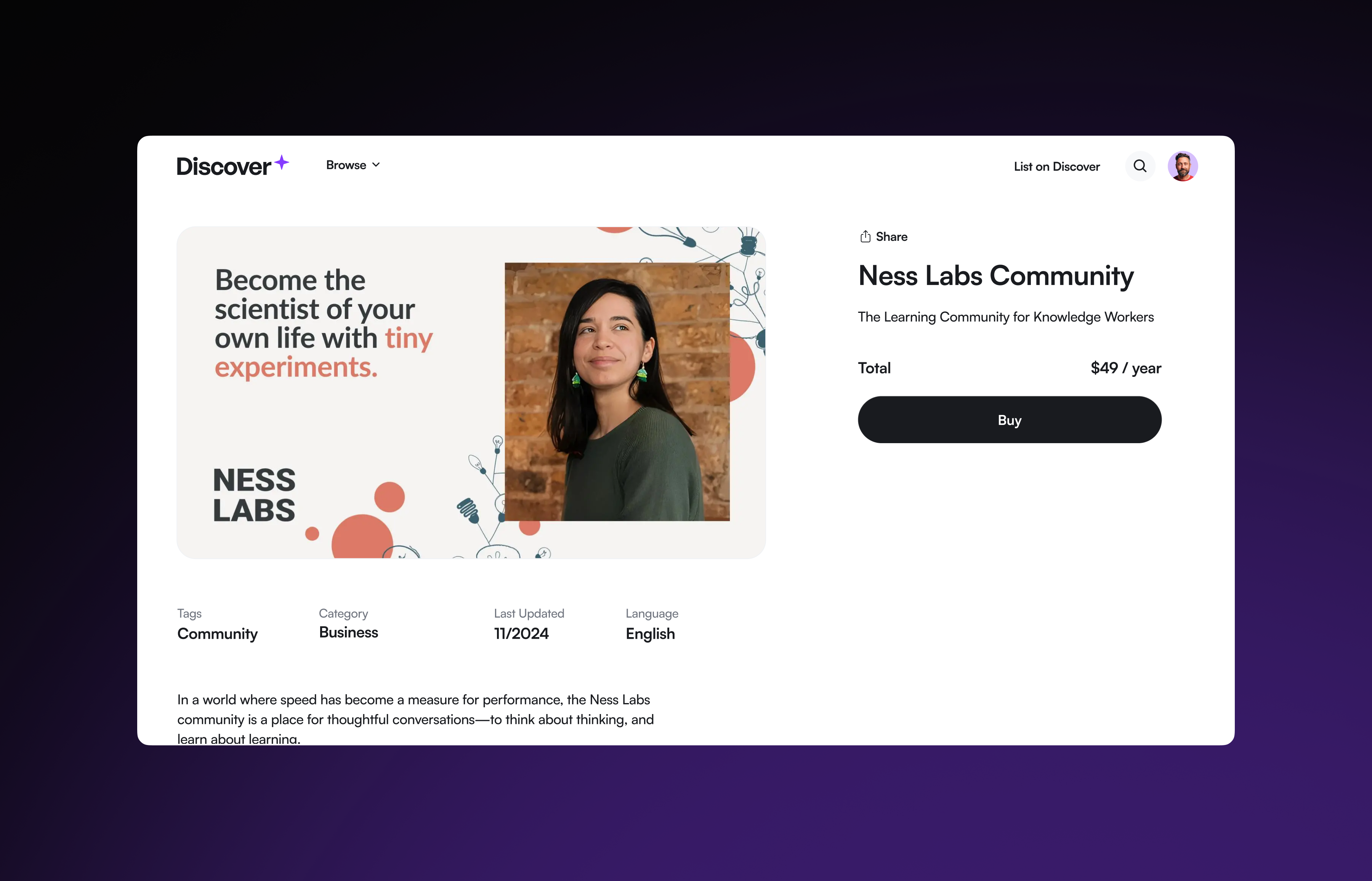
We’re excited about Circle Discover for two big reasons:
First, there are millions of consumers searching for digital experiences — quality communities, courses, events, and memberships like yours to join.
Without a curated marketplace, it’s getting even more difficult to know which experiences deliver real value, and how to separate the signal from the noise.
Second, we now have tens of thousands of the world’s best communities and courses on Circle.
We’ve reached an inflection point where we have enough supply available to help curate the highest quality experiences for consumers. They exist on Circle already, and it’s our goal to get them the visibility they deserve.
Discover is completely optional to opt into as a community, and free for the remainder of 2025 with no commissions or transaction fees.
Rest assured: our main motivation behind Discover is to help our best communities succeed, and to curate a thriving ecosystem of community builders and their members.
We take our commitment seriously as white-labeled platform, and we’ll never market Discover to your audience or reach out to your members. We only contact members who choose to join Discover on their own accord with curated recommendations.
If you're a Circle customer, think of Discover as a free and optional customer acquisition channel without any of the downsides which come from typical marketplaces.
Creators <> consumers, no strings attached.
The best of all worlds!
Ready to make more money?
You can submit your community or course to Circle Discover today by filling out the request form here.
Learn more about Circle Discover →
Set your own point thresholds for gamification levels
We’re excited to share that you can now customize the points required for each gamification level, giving you the flexibility to create meaningful reward tiers tailored to your community!
To update the points for your levels, head to Audience > Gamification and enter the desired points for each level. Keep in mind that Level 1 points can’t be adjusted, as all members must have a level assigned.
Once updated, the changes will automatically apply across your community, and members will be adjusted to their new levels. Depending on the size of your community, this process may take a few minutes.
Important: If you have workflows triggered by Member leveled up or Member leveled down, these will activate for all level changes when you update the points required. We recommend pausing or updating your workflows before making these changes to ensure a smooth transition.
This update will start rolling out gradually tomorrow.
Refreshed UI on live streams and live rooms
We’ve revamped the UI for live streams and live rooms to make your experience smoother, more intuitive, and user-friendly. Here’s what’s new:
Live status in the header: You’ll now be able to have a clear view of the live status (whether the event is live or backstage), recording badge, and timer in the header area, keeping the speaker view distraction-free.
Redesigned bottom bar: All actions and icons are now conveniently grouped in the bottom bar, making interactions simpler.
Additional logo placements: You’ll now find your community logo in the live header area along with the event title.
Updated pre-join screen: The pre-join screen has been updated to make managing microphone, camera, and background settings easier before going live.
New courses directory banner
Admins now have the ability to create eye-catching banners for their course directories, complete with an image, title, body text and a call-to-action button—helping you market your courses more effectively. Similarly to banners in other spaces, these can be tailored to appear differently for logged-in and logged-out members.
Additionally, all course directory settings are now centralized under Options for easier management. We’ve also introduced a new drag-and-drop interface for re-ordering topics in the navigation header, making it simpler to control which topics are displayed in which order.
Automatically RSVP invited attendees to events
We’ve added a new toggle Automatically RSVP invited attendees in the event creation modal which allows admins to better manage attendee status. Here’s how the toggle functions:
In draft mode: When the toggle is turned on in drafts, all attendees RSVP status will update to Going and when disabled in drafts, all attendees RSVP status will update to Invited.
When the event is published: Attendees with the status Going will receive an email letting them know they’ve been added to the event and the event will be added to their Google calendar automatically. Attendees with the status Invited will receive an email to RSVP to the event.
After the event is published: If you’re enabling the toggle after the event has been published, all attendees with the status Invited will be updated to Going and notified via email. Disabling the toggle will not change the RSVP status of members who are listed as Going. Net new attendees will then be defaulted to Invited status and notifications will be sent based on their attendee status.
Other updates
New workflow trigger: We’ve added a new trigger for workflows Admin received a direct message. This is a great way for admins to automate responses to member DMs, making communication more efficient. Use it to set up out-of-office messages, manage expectations on response times, or share important information.
Improvements to in-feed moderation: When a post has been flagged for review, admins will now see a moderation banner in list view and card view.
Updated member profile modal: Profile modals now include a new About tab that organizes all personal information in one place. For communities with gamification enabled, profile cards are now color-coded to match each member’s level.
New member dropdown list: When adding members to a space, space group, or tag, admins will now see a list of members appear when typing in the text field.
Refreshed UI for DMs: Direct messages have a sleek new look and intuitive feel with refreshed visuals, icons, typography and layouts for a more engaging experience.
Search DMs: You can now search direct messages by member name.
Search for email broadcast recipients: You can now search for recipients of Marketing Hub email broadcasts by name or email. To access the recipient list for your broadcasts, you can go to Marketing > Broadcasts > Sent and select the desired email and click on the recipients in the To section of the broadcast modal. Alternatively, you can go to Marketing > Broadcasts > Sent > Analytics and click on the recipients list in the top left hand area.
Saved comment drafts: Comments are now auto-saved, ensuring that members won’t lose their draft if they navigate away accidentally.
Export CSVs from Manage Audience: Easily export your audience lists by navigating to Manage Audience > All and Manage Audience > Contacts. Under the More dropdown, you’ll be able to export a CSV. Your exported lists will reflect any filters you’ve applied for a more segmented view.
iOS improvements
We also shipped a few improvements to Circle’s iOS app:
Support for events directory
Improvements to live streams and live rooms
Display of unread badges in the community switcher
Improved chat and comment typing performance
Improved course directory sorting
Performance, reliability, and UI/UX improvements
Android improvements
Plus, here are some improvements on Circle’s Android and Circle Plus branded apps:
New events directory
Support deep-linking in DMs and comments
Added notification badges to community switcher
Performance, reliability, and UI/UX improvements
⭐ Introducing this month’s community challenge: Your onboarding space ⭐
Every month, the Circle community will host an exciting challenge where you can showcase your work, learn from peers, and win amazing prizes!
This month’s challenge is all about member onboarding—a critical moment that shapes how your members engage and whether they stick around.
Over the next two weeks, we’re inviting you to share how you’ve designed your onboarding space to set your members up for success 🚀
The best entry will win an awesome prize—don’t miss out!